
Stop paying per download for overlays, transitions and SFX.
A working library of drag-and-drop editing assets — 627 files across nine sorted folders. Film burns, motion backgrounds, transitions, LUTs and a fully labelled sound-effects library. All standard media files, so they drop straight into whatever you already edit in.
- 627 files · 13.6 GB
- 9 sorted categories
- Works in any editor
- One-time payment
- Lifetime access
- 209 sound effects, sorted into labelled folders.
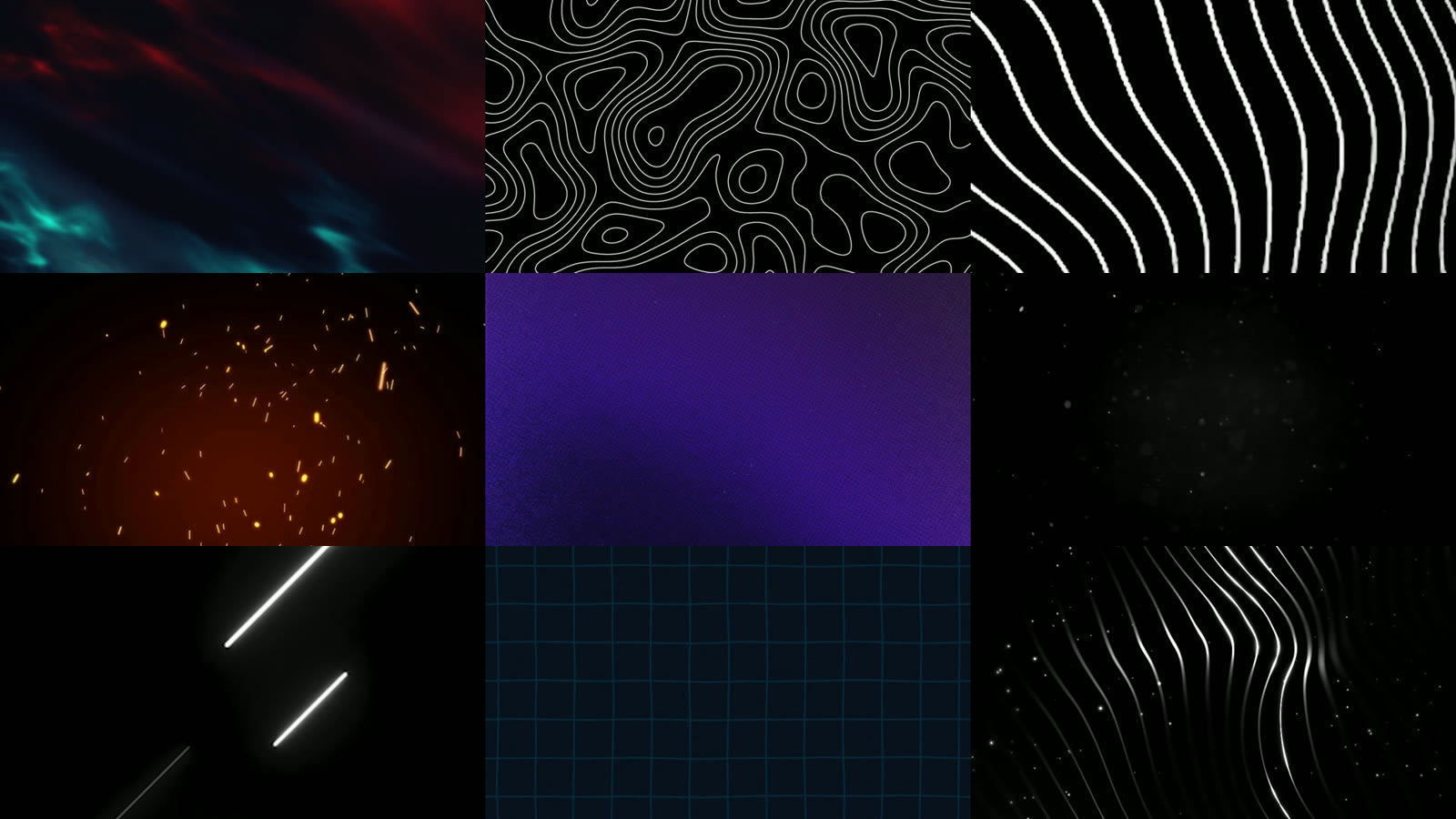
- 125 loopable motion backgrounds, mostly 4K.
- 58 overlays and film burns — the biggest folder at 7.6 GB.
- No plugins, no installers, no accounts. Just media files.

Frequently bought together
One-time offer — you will not see this pricing again at checkout.
-
 The Vibe Code Playbook — Build Award-Winning 3D Websites With AI Rs. 499.00
Rs. 4,999.00Save 90% -
 1500+ Motion Graphic Reels Bundle Rs. 99.00
Rs. 600.00Save 84%


You just saved on this order.
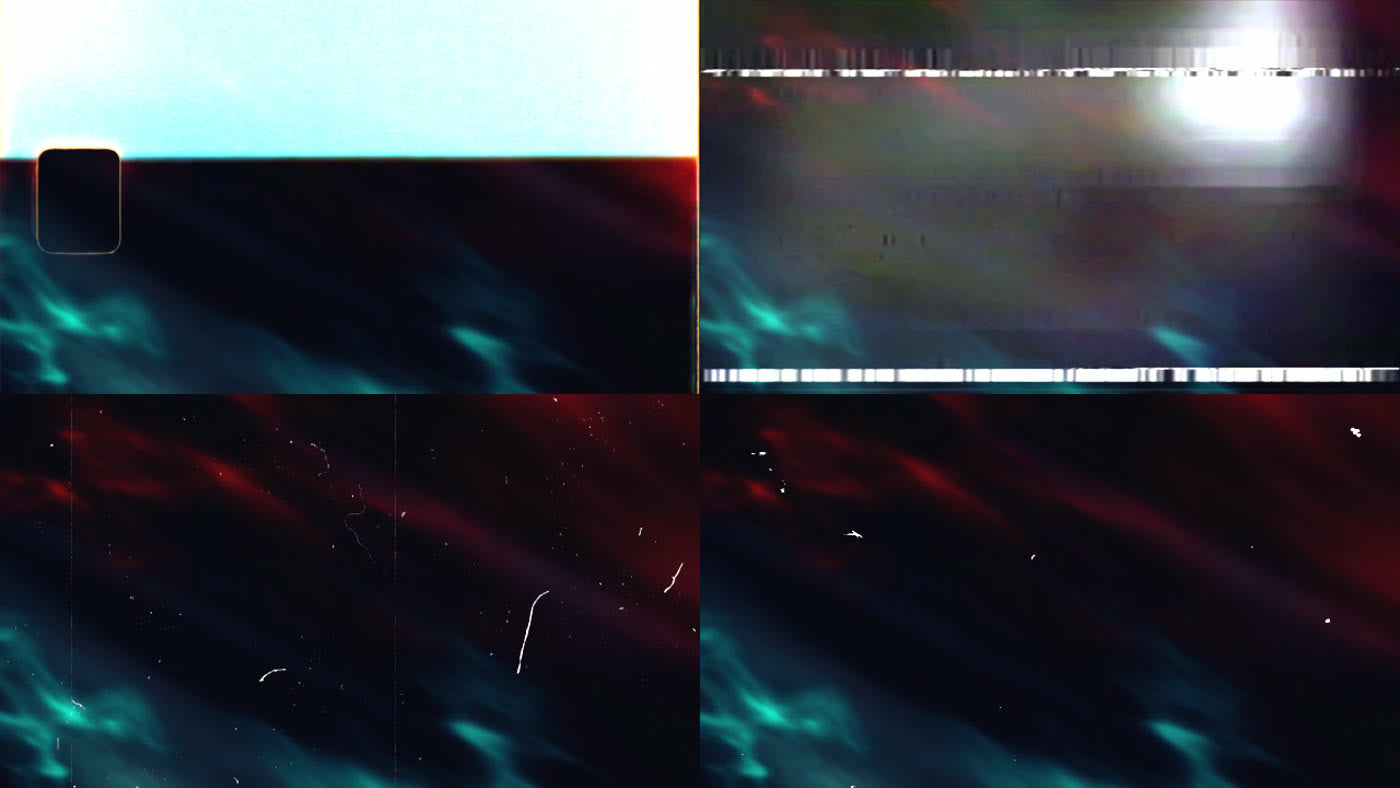
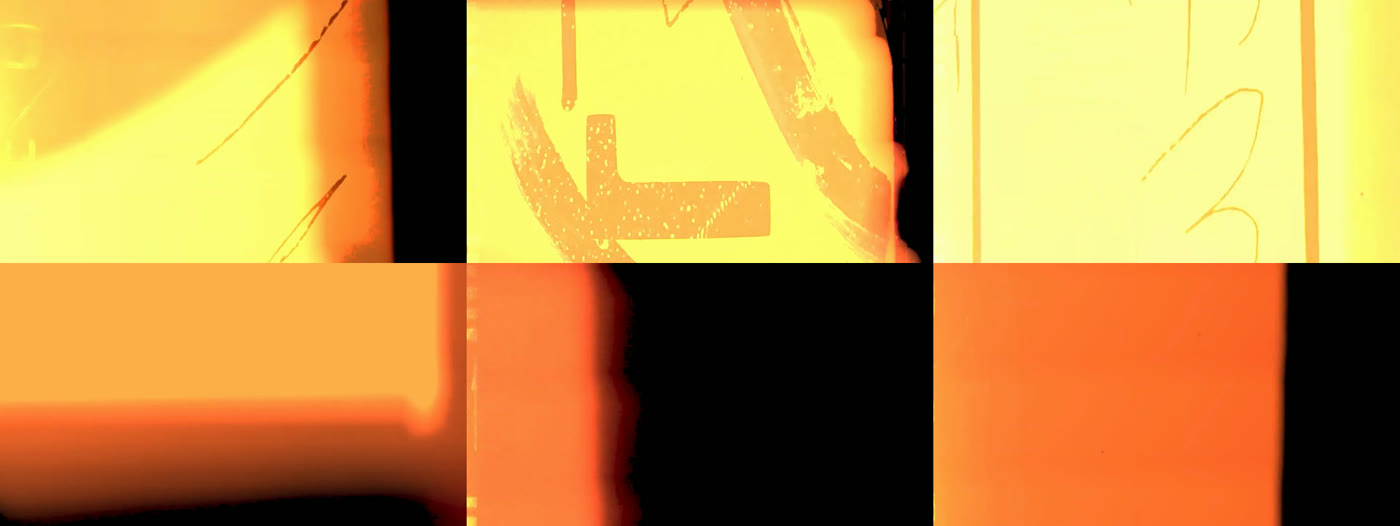
Every image on this page is a real frame from the pack
No box mockups, no stock renders. These are screengrabs pulled straight out of the files you receive.
The look, without the plugin subscription
Left: film burn, VHS damage, scratches and dust screened over one of the pack's own clips. Right: paint-brush wipes from the transitions folder, mid-animation.
Nine folders. Nothing locked behind a second purchase.
One Drive link, one download, everything above.
The full folder, counted
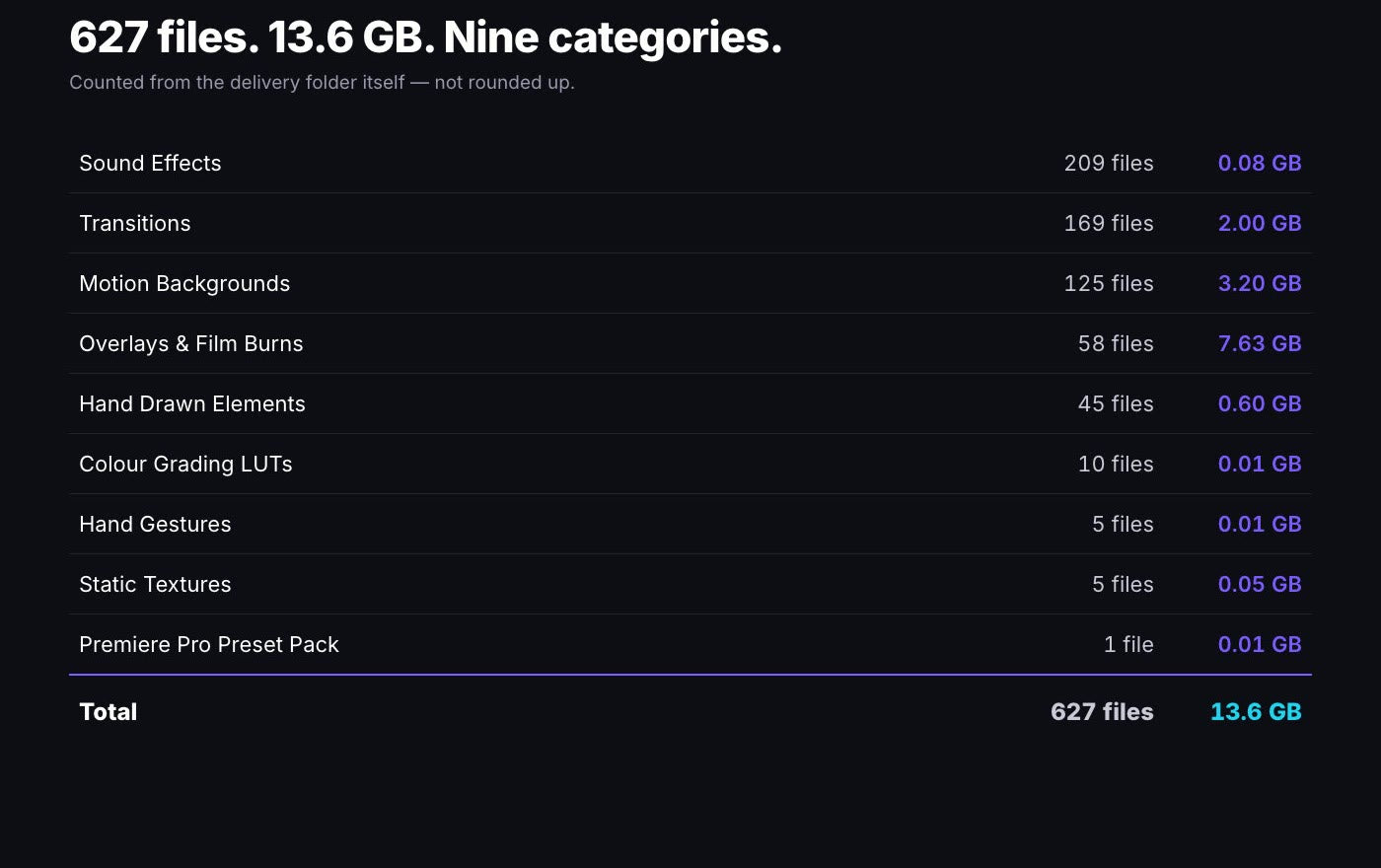
Nine categories, 627 files, 13.6 GB. That is the whole library — not a teaser folder with an upsell behind it. If you have seen this advertised elsewhere as 1250 GB or 2000 GB with bundled software and a course, that is marketing, not the folder. This is what is actually in it.
Counted, not claimedOverlays and film burns — 58 files, 7.6 GB
A 30-clip film burn set, five film leaders, nine scratch and dust passes, VHS signal damage, smoke bursts and alpha particle loops. Most are ProRes or 4K MP4, several over 200 MB each, so they hold up on a full-frame grade instead of falling apart the moment you scale them.
Largest folderMotion backgrounds — 125 files, 3.2 GB
Aurora, topographic line maps, animated grids in six colourways, particle fields, grainy gradients, fractals, embers and film grain. Loopable and mostly 4K — the kind of thing you would otherwise pay a stock site per-clip for.
Loopable, mostly 4KTransitions, LUTs and 209 sound effects
Six transition packs including paint-brush and torn-paper wipes. Ten .cube LUTs that load in any grading panel. And a sound library sorted into Whooshes, Risers, Glitches, Impacts, Clicks, Pops, Notifications, Liquid, Fire, Paper and a trending SFX pack — already named, so you are not auditioning 200 unlabelled WAVs.
Already sortedEditing with it within a minute
Delivery is automated end to end. Nothing to install and nobody to chase for a link.
Pay securely
UPI, card, netbanking or wallet. One payment, no subscription.
Your link arrives instantly
Access is emailed the second payment clears, and it sits on your order confirmation page too.
Download the folders you need
Take the whole 13.6 GB or just the folders you want. The links do not expire.
What buyers say
I didn't expect this level of variety. Transitions, overlays, titles — everything is sorted. Saves me so much time on client projects.
I've tried a bunch of asset packs, but this one feels complete. Sound effects and presets alone made my workflow faster.
As someone learning editing, this gave me a huge library to experiment with. Helped me understand styling and effects better.
Questions, answered
How big is it really?
627 files, 13.6 GB, across nine folders. We counted the delivery folder rather than rounding up a marketing number. The breakdown is on this page in full, and it is the same folder you get.
Which editor does this work with?
Any of them. These are plain media files — .mov and .mp4 clips, .wav sound effects, .cube LUTs and .jpg textures. Premiere Pro, After Effects, DaVinci Resolve, Final Cut, CapCut, Canva, VN. There is one Premiere Pro preset file that is Premiere-only; everything else is universal.
Does it include editing software?
No. This is an asset library only — no installers, no cracked applications, no course. You bring your own editor.
How do the overlays work?
Drop the clip on a layer above your footage and set the blend mode to Screen (or Add). Film burns, scratches, dust and light leaks are all built to be used that way. The smoke and particle clips carry their own alpha channel, so those need no blend mode at all.
Can I use these in client work?
Yes — the pack is intended for use in your own edits, including paid client projects. It is not a resale licence: you cannot repackage the files and sell them on as your own bundle.
How do I download it?
Your emailed access card carries a Google Drive link. Open it and download the whole folder at once, or go folder by folder and take only the categories you need. The link does not expire.
Can I get a refund?
This is a digital product delivered instantly, so purchases are non-refundable once accessed. If your link fails, reply to your order confirmation email and we will re-issue it.