
You don't need to know how to code to build a website like this.
Twelve lessons. Two hours, thirty-two minutes. You start with a blank screen and finish with a real, moving 3D website — by typing what you want in plain English and letting AI build it. Every word that gets typed is on screen, so you just copy what you see.
- 12 lessons · 2h 32m
- Zero coding experience
- Everything built by AI
- Nothing assumed, nothing skipped
- One-time payment
- You never write a single line of code yourself.
- You say what you want. The AI builds it.
- Starts from a completely empty computer — nothing is assumed.
- Copy what is on screen and you get the same result.

Frequently bought together
One-time offer — you will not see this pricing again at checkout.
-
 Video Editing Master Pack — 13.6 GB of Overlays, Transitions, LUTs & SFX Rs. 149.00
Rs. 3,499.00Save 96% -
 1500+ Motion Graphic Reels Bundle Rs. 99.00
Rs. 600.00Save 84%


You just saved on this order.
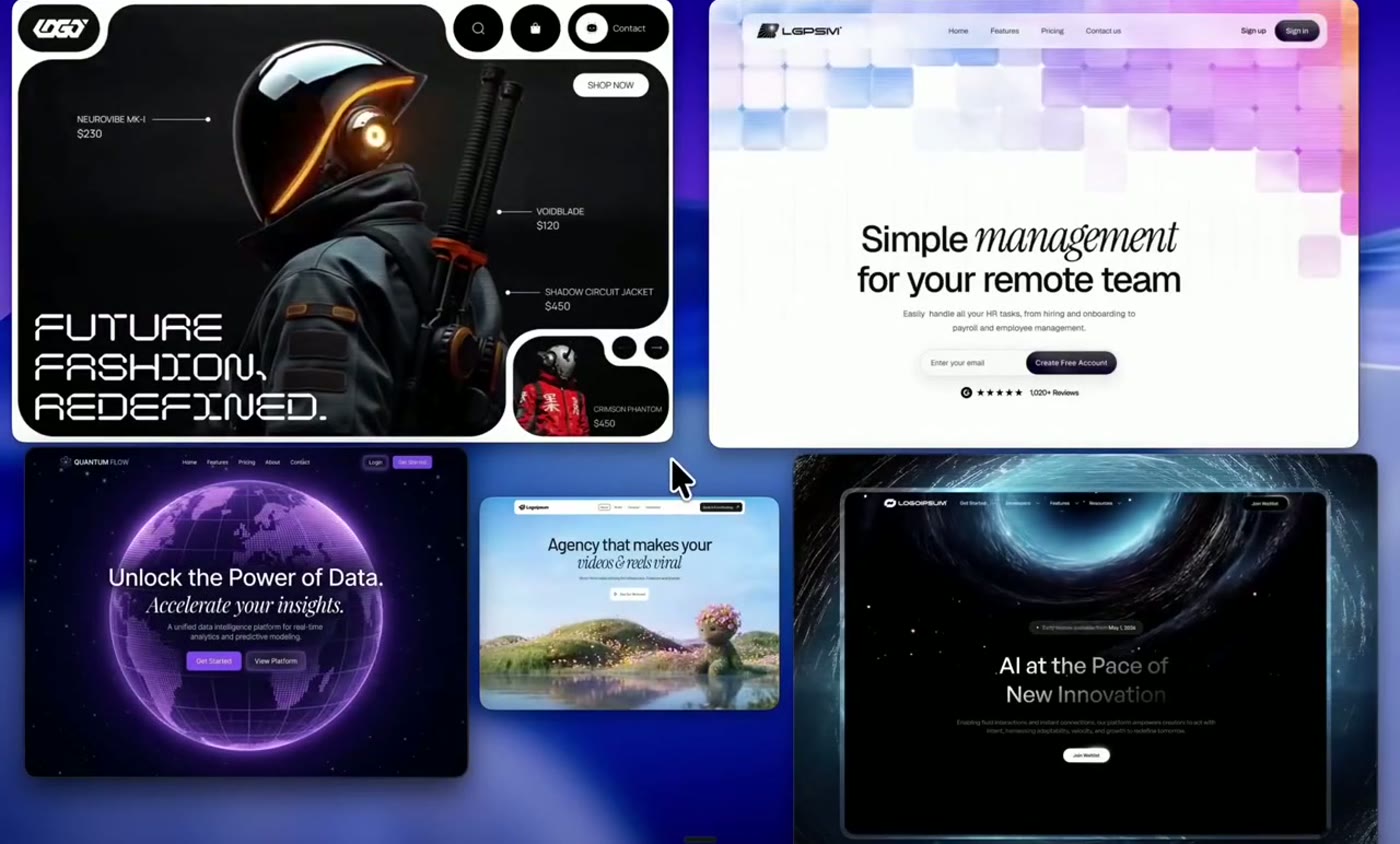
This is what you will be able to make
Websites that look like this are quoted at ₹50,000 and up. You are about to watch one get built from nothing.
It moves as you scroll
Not a flat page that sits there. Scenes that turn, light up and come towards you as the visitor scrolls — the kind of website people screenshot and send to a friend.
Two parts. Twelve lessons. One finished website.
Everything sits in one folder. No levels, no upgrades, no upsell page.
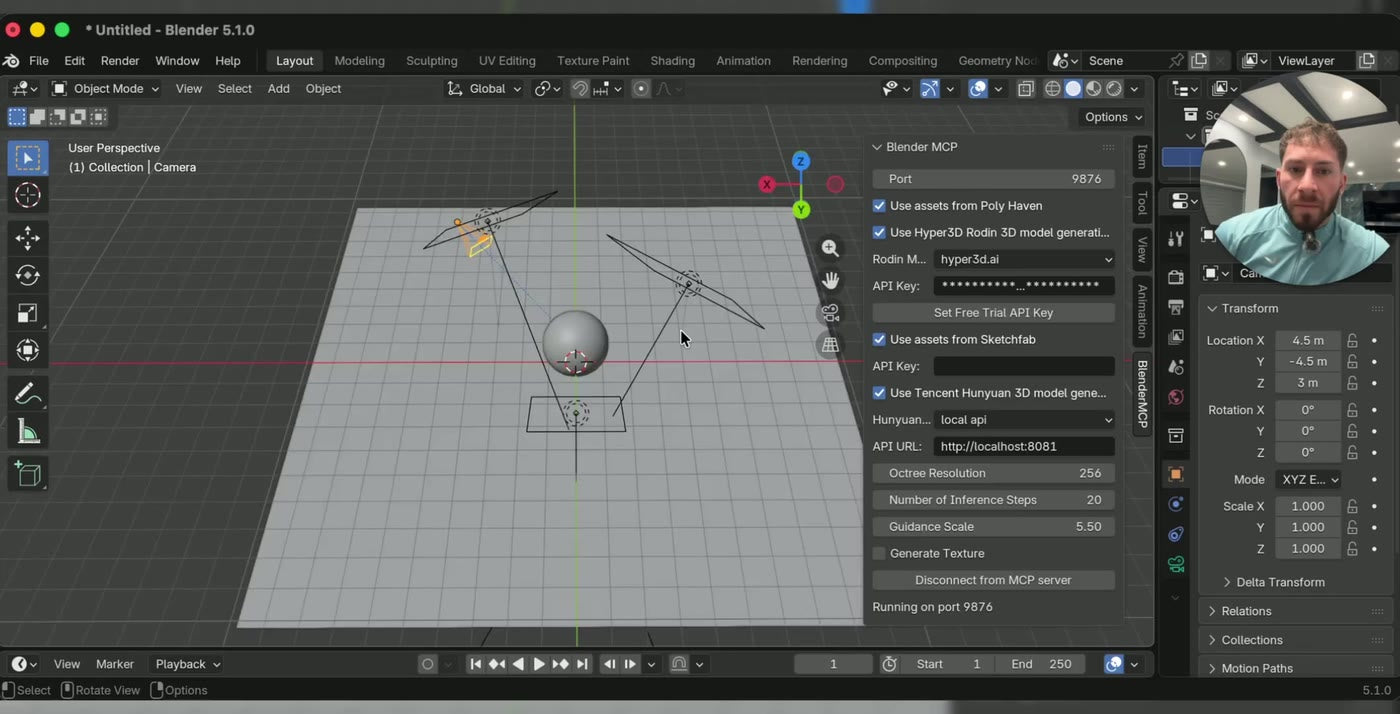
Part 1 — Get set up (4 lessons, 1h 17m)
We set your computer up together, click by click. Every app is free and every button is shown on screen. If you have never built a website before in your life, this is where you start — and it is the part nobody else bothers to show you.
Lessons 1–4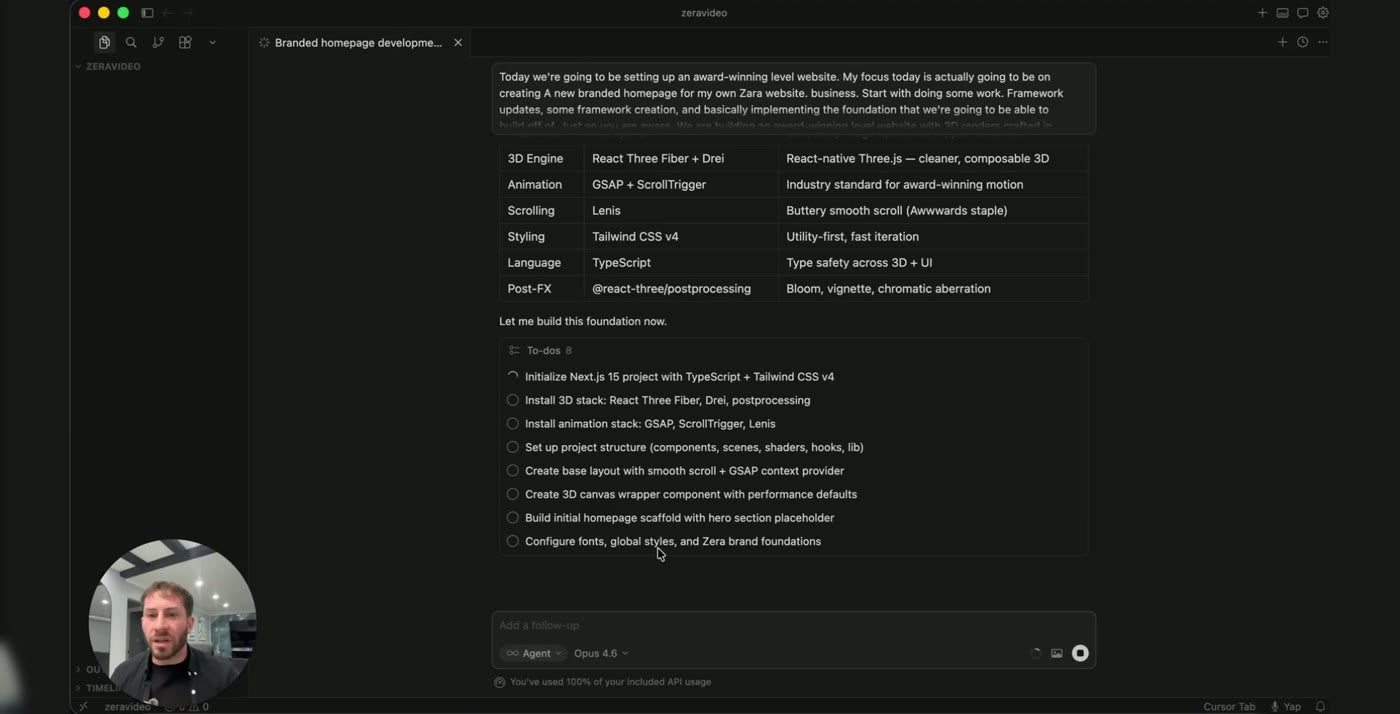
Part 2 — Build the website (8 lessons, 1h 15m)
A complete website, taken from nothing to finished, on camera. A moving 3D scene at the top, animation that follows your scroll, and smooth, expensive-looking motion all the way down — all of it built by AI while you watch and follow along.
Lessons 5–12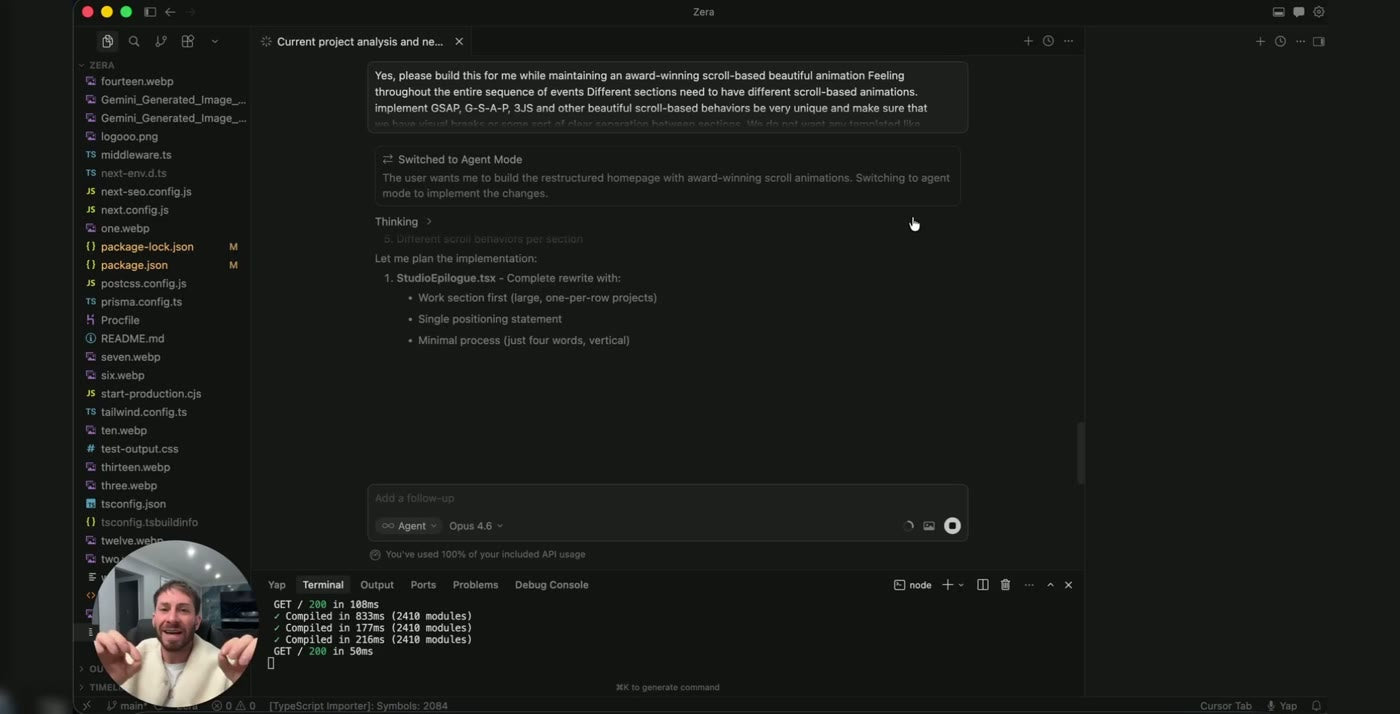
The words that actually work
The whole skill is knowing what to say. You see the exact wording that produces this quality, what to say back when the AI gets it wrong, and how to steer it until it is right. Once you have that, you can build anything you want — not just this one website.
Throughout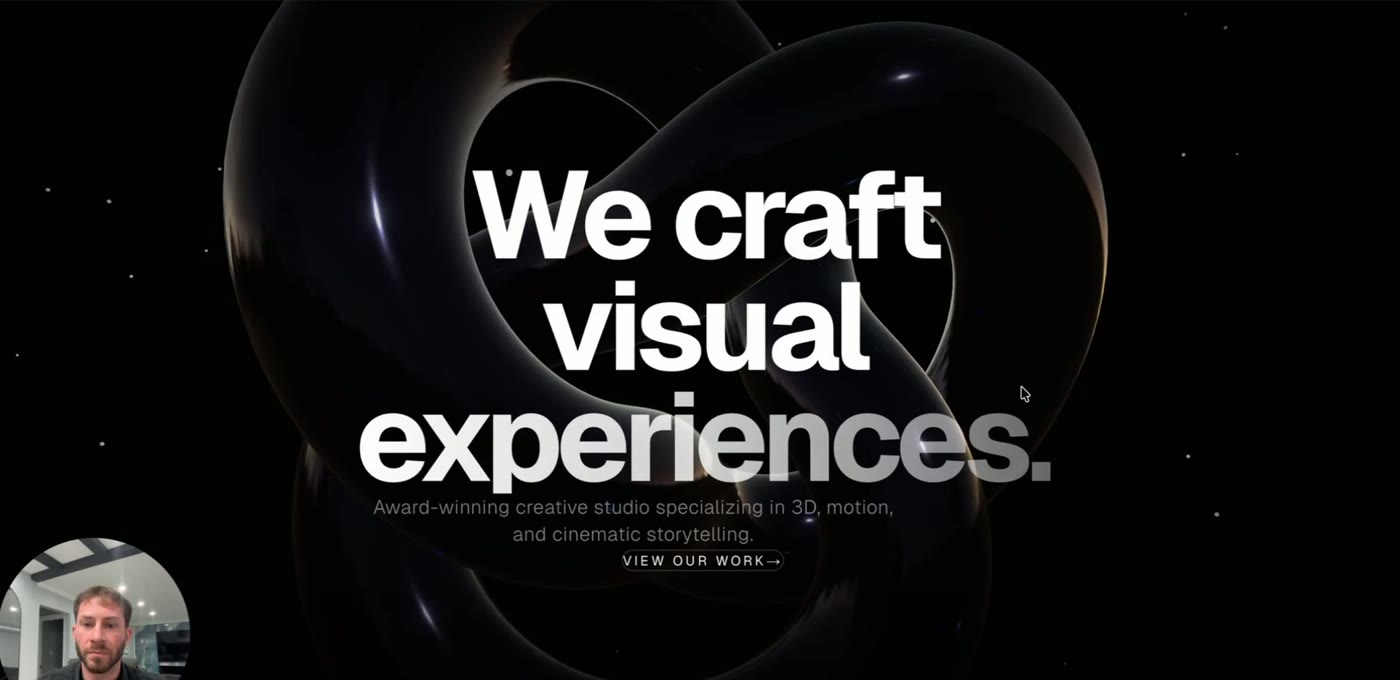
A finished website at the end
You do not finish with a folder of notes. You finish with a real, working website you can show people, re-use for a paying client, or put straight into your portfolio.
Yours to keepWatching Lesson 1 within a minute
Delivery is automatic from end to end. No waiting, and nobody to chase for a link.
Pay securely
Checkout with UPI, card, netbanking or a wallet. One payment, no subscription.
Your link arrives instantly
Access is emailed the second payment clears, and it sits on your order confirmation page too.
Start at Lesson 1
Do the setup first, then build along with Part 2. Pause, rewind and redo as many times as you like.
What buyers say
I'd been quoting ₹15k for plain landing pages. Built one site from this, put it in my portfolio, and closed a ₹1.2L project off the back of it.
I design, I don't really code. Getting from an idea to a moving 3D page was the piece I was always missing. Shipped one for a client and billed ₹75k.
Knowing what to type is the actual value. I'd been asking for the wrong things for months. Watching him correct it live on screen is what made it click.
Questions, answered
I have never built a website before. Can I still do this?
Yes — that is exactly who this is made for. Part 1 starts from a completely empty computer and sets everything up with you, click by click. Nothing is assumed and no step is skipped.
Do I need to know how to code?
You never write a single line of code yourself. You say what you want in plain English and the AI writes all of it. Your only job is knowing what to ask for and spotting when the result is not right — and that is exactly what the twelve lessons teach you.
How long is it?
Twelve lessons, two hours and thirty-two minutes in total. Part 1 is four lessons (1h 17m) and Part 2 is eight lessons (1h 15m). It is a build-along, so set aside longer than the runtime if you are following on your own computer.
What do I need to start?
A computer and an internet connection. Every app used in the lessons is free and we install them together in Part 1. You will also need an AI assistant of your own — that is paid to whoever you use, not to us, and is not included in this price.
What exactly do we build?
One complete website for a creative studio — a moving 3D scene at the top, animation that follows your scroll, cinematic lighting, and a full set of finished sections. A real website you can put online, not a demo.
Will this teach me how to find clients?
No, and it does not pretend to. This is a build course. It hands you a skill and a portfolio piece worth charging for — the selling is on you.
Do I get future updates?
Yes. Access is lifetime, and any new or re-recorded lessons added to the course are included at no extra cost.
Can I get a refund?
This is a digital product delivered instantly, so purchases are non-refundable once accessed. If your link fails, reply to your order confirmation email and we will re-issue it.